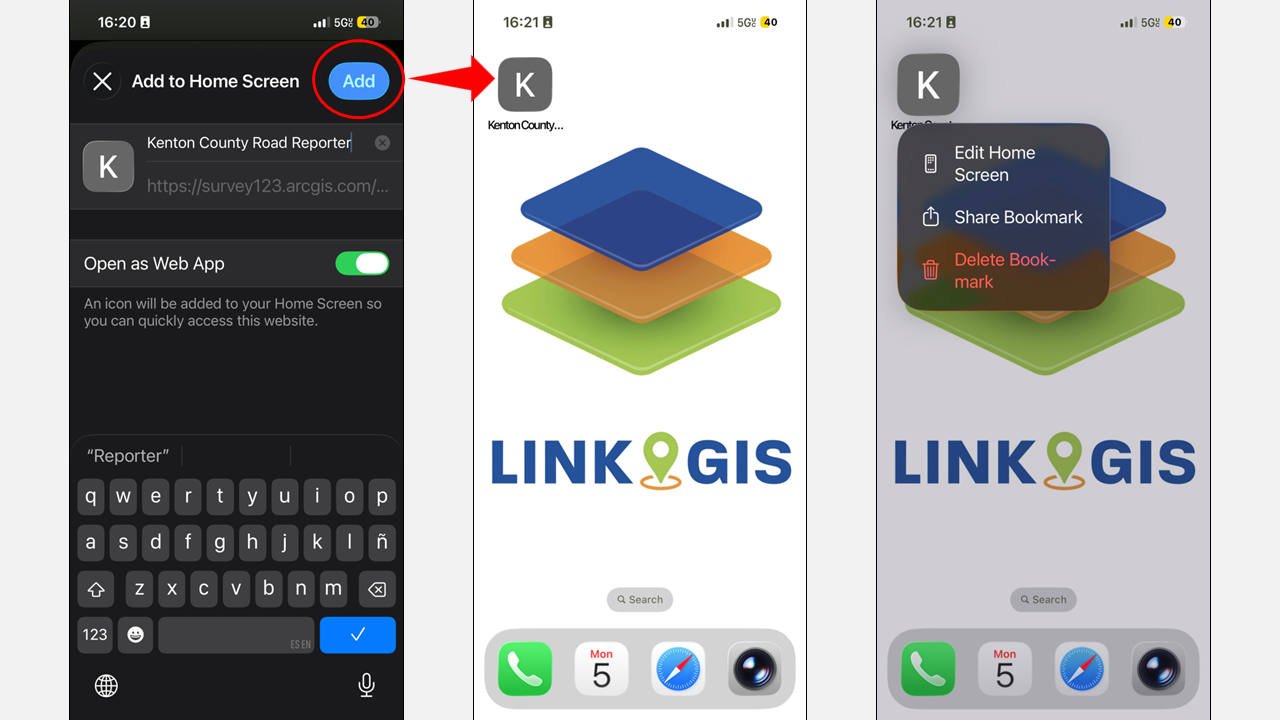
Add custom shortcut for the Road Reporter App
You can add shortcuts to the Home Screen of your iOS device.
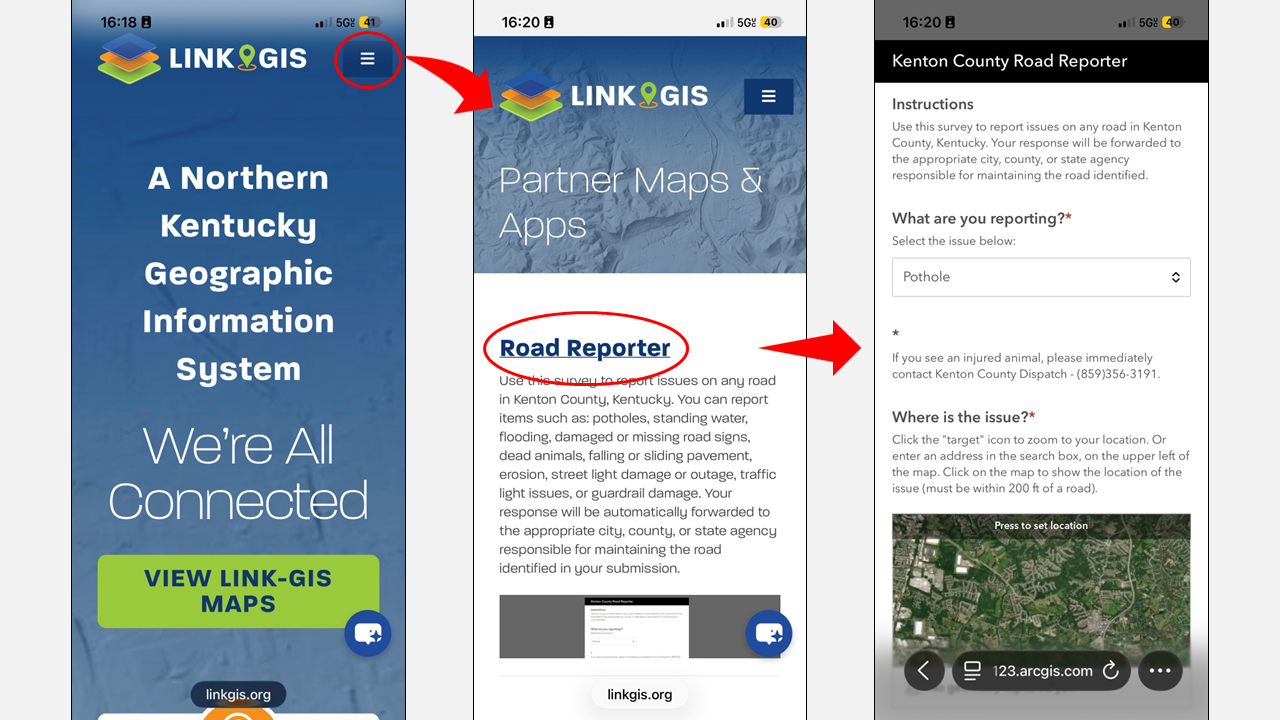
- Open the Link GIS website page in your phone browser.
- Go to Maps > Partner Maps and Apps > Road Reporter
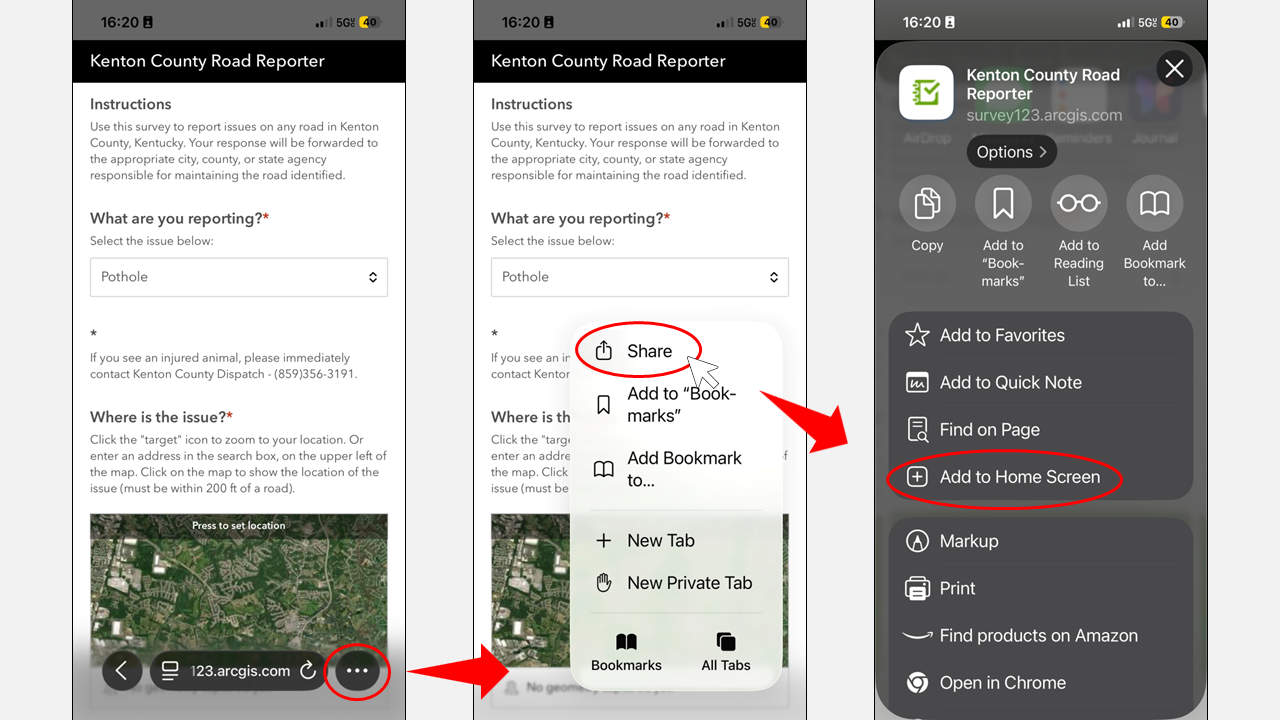
- Tap
 for additional actions and select “Share“
 - Look for the “Add to Home Screen” option.
- Tap Add to Home Screen. The shortcut is added to your Home Screen.
- Optional: To change the name that appears on the Home Screen, tap the name (in the Home Screen Name and Icon area), tap
 , enter a new name, then tap Return.