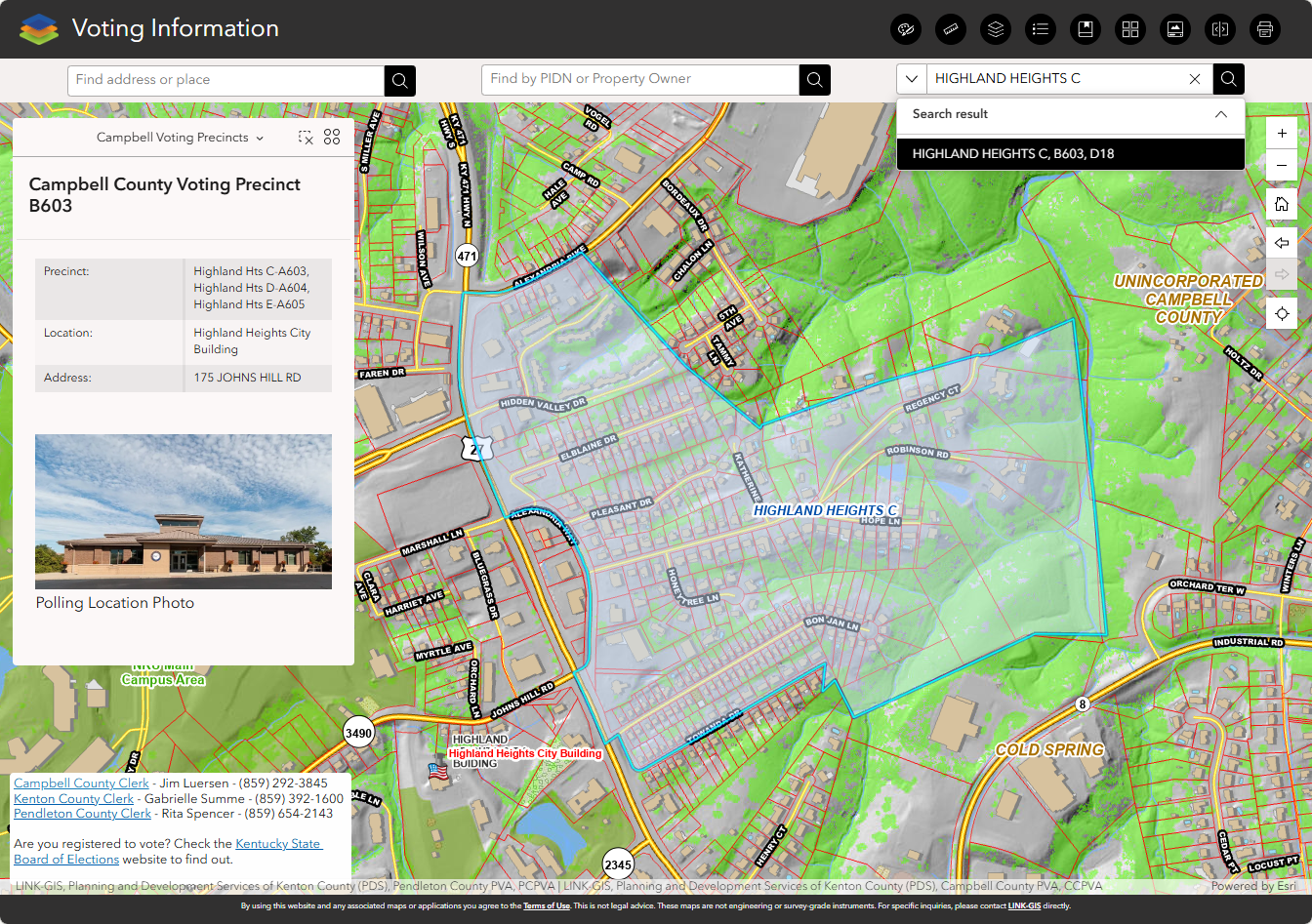
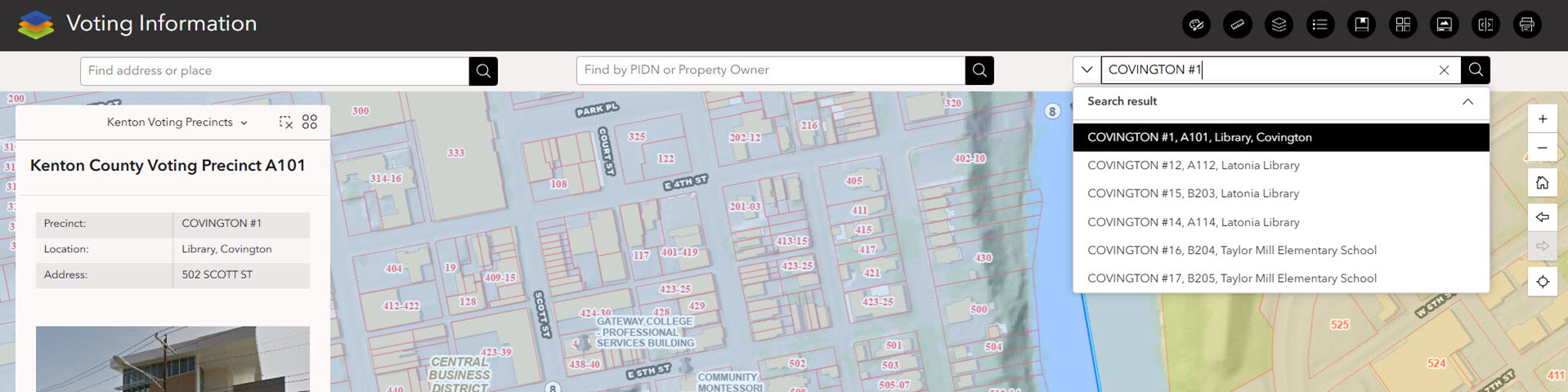
The Voting Information map shows the precincts and polling locations in Campbell, Kenton, and Pendleton Counties. This easy-to-use map allows the user to search polling locations by clicking on precincts on the map or search by precinct name in the Find Polling Location.
Find by address or place
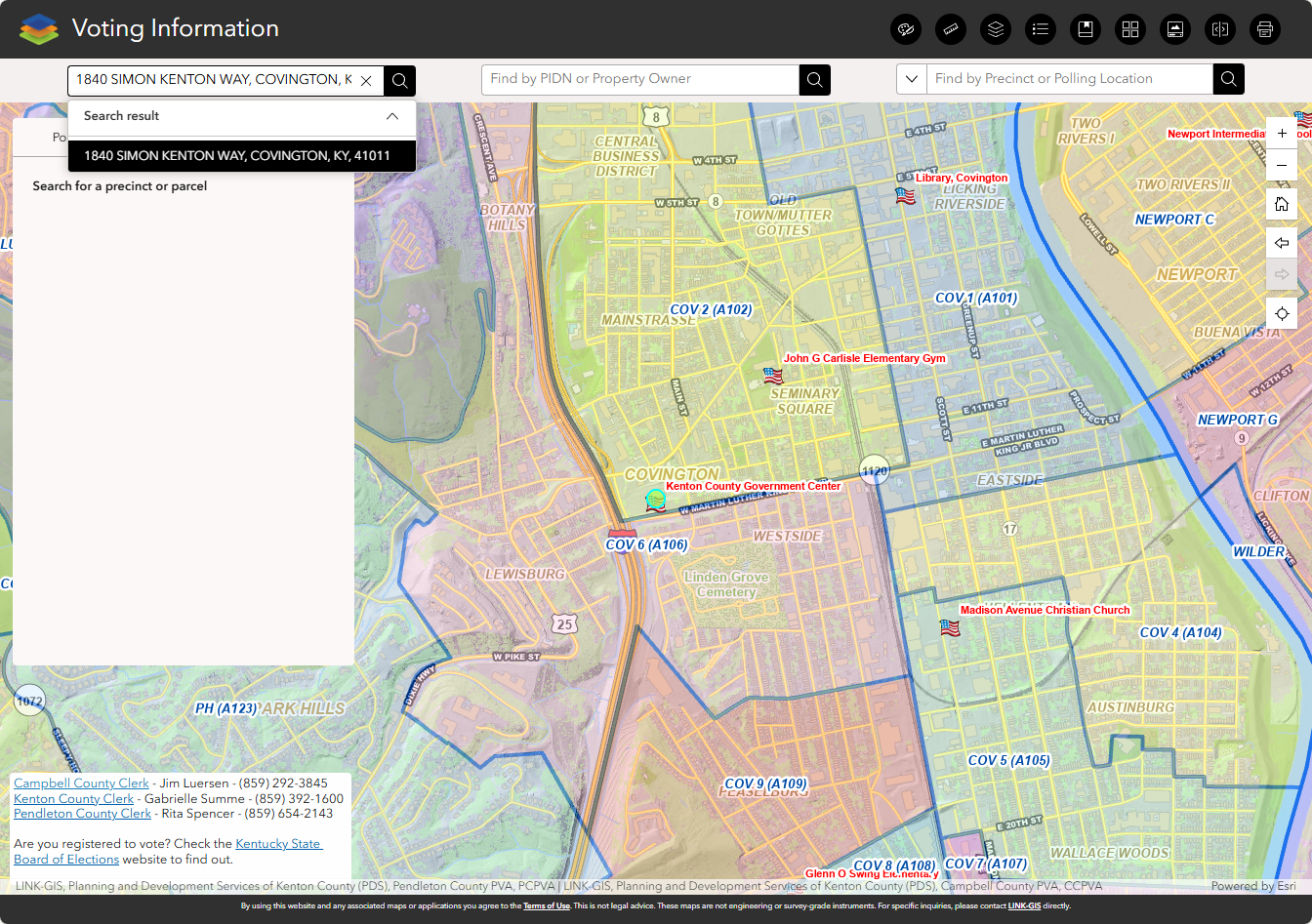
To find your polling location, type a street address or place name into the “Find address or place” search bar. Then click the search icon.
If you type a partial address and press Enter, a list of matching addresses will appear. Click the address you want to zoom to, or keep typing to narrow your results. The map will zoom to your selection.
If you do not see the address you want, click “Show more results” to view additional options.
Find by property owner or PIDN
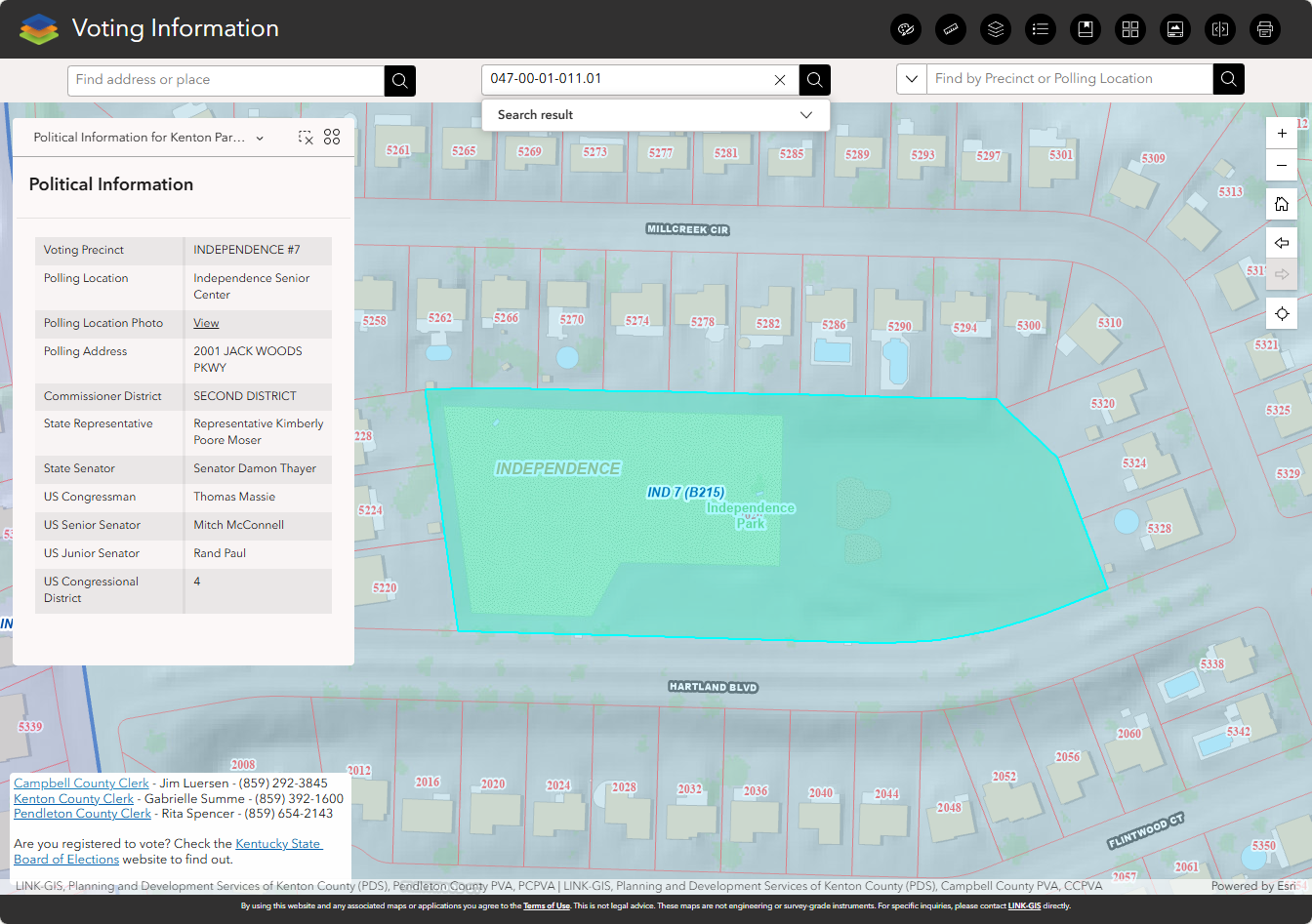
To search by property, type an owner name or PIDN into the “Find by PIDN or Property Owner” search bar. Then click the search icon.
After you type a partial name or PIDN and press Enter, a short list of matches will appear, grouped by county. Review the list and click a result to zoom to that parcel on the map. If you do not see what you need, try a different or more specific search.
After you select a result, the “Political Information” panel on the left will show voting and district details for that parcel.
Find by precinct or polling location
To search by precinct or polling place, type a precinct name or polling location into the “Find by Precinct or Polling Location” search bar. Then click the search icon.
After you type a partial name and press Enter, a list of matches will appear, grouped by county. Click a result to zoom to that precinct on the map. If you do not see the result you need, try refining your search.
After you select a result, the “Political Information” panel on the left will show voting and district details for that precinct.